
Clear one with Quick win
For everyone · 1 min read
Quick win hands you one small open item at a time, yours first, so a spare ten minutes turns into something done.
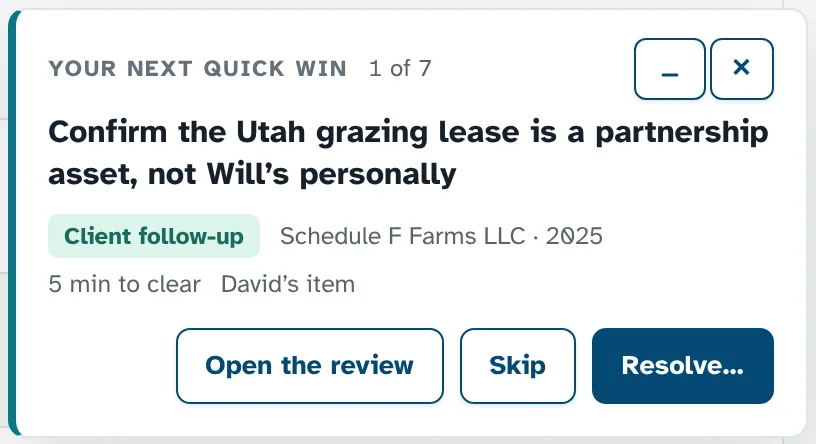
- 1Click Quick win, beside + New at the top of any page. A card shows one item and how long it should take.
- 2Not this one? Click Skip for the next.
- 3Done it? Click Resolve…, say what happened, and click Resolve. The next one comes up.
- 4Need the review? Click Open the review. The card shrinks to the bottom corner while you work; click Resolve… there when you’re done.
 23
Good to know
- It only hands out items added by hand that take 10 minutes or less, on reviews not signed off.
- The order: your items first, then unassigned ones, then teammates’. Within those, reviews at penalty risk or past an internal date come first, then the quickest.
- Going to another page shrinks the card too, and it’s still there after a reload. ✕ or Esc closes it.
- Each one you finish gets a little confetti. Turn it off in Look and feel.
- Items from the answers (documents not received, blank research notes) never show here; they close by answering in the review.