
Add an open item
For everyone · 1 min read
Add an open item for anything that has to happen before sign-off, with its type, owner and how long it should take.
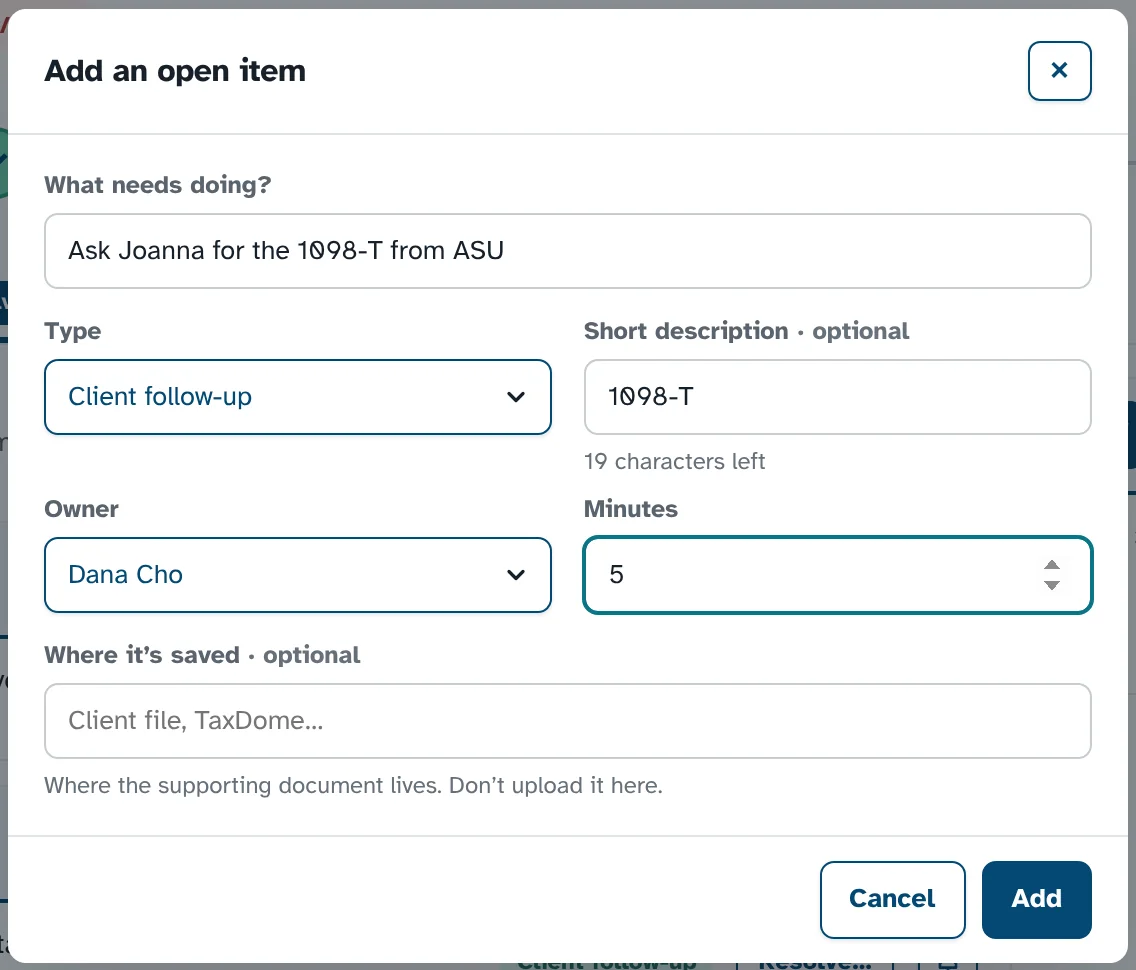
- 1Open the review and go to its Open items tab.
- 2Click ⊕ Add an open item.
- 3Under What needs doing?, write the task so someone else could do it.
- 4Choose the Type, the Owner and the Minutes it should take. Add a Short description of two or three words if it helps.
- 5Click Add. The item shows under Added by hand, and the preparer, reviewer and owner get a notification.
Good to know
- Owner starts on the review’s preparer. Choose Unassigned to leave it for whoever picks it up.
- Other needs a short description; it shows on the tag, like “Other · K-1 partnership”.
- Where it’s saved notes where the supporting document lives (the client file, TaxDome). Documents never go into TaxReview2Do.
- Anyone in the firm can add an open item, even while someone else is editing the review. Signed-off reviews can’t get new ones.
- Adding one goes in the review’s audit trail.
 345