
Unread, read and Seen by
For everyone · 1 min read
See what’s unread in Messages, keep a conversation unread for later, and see who has read your message.
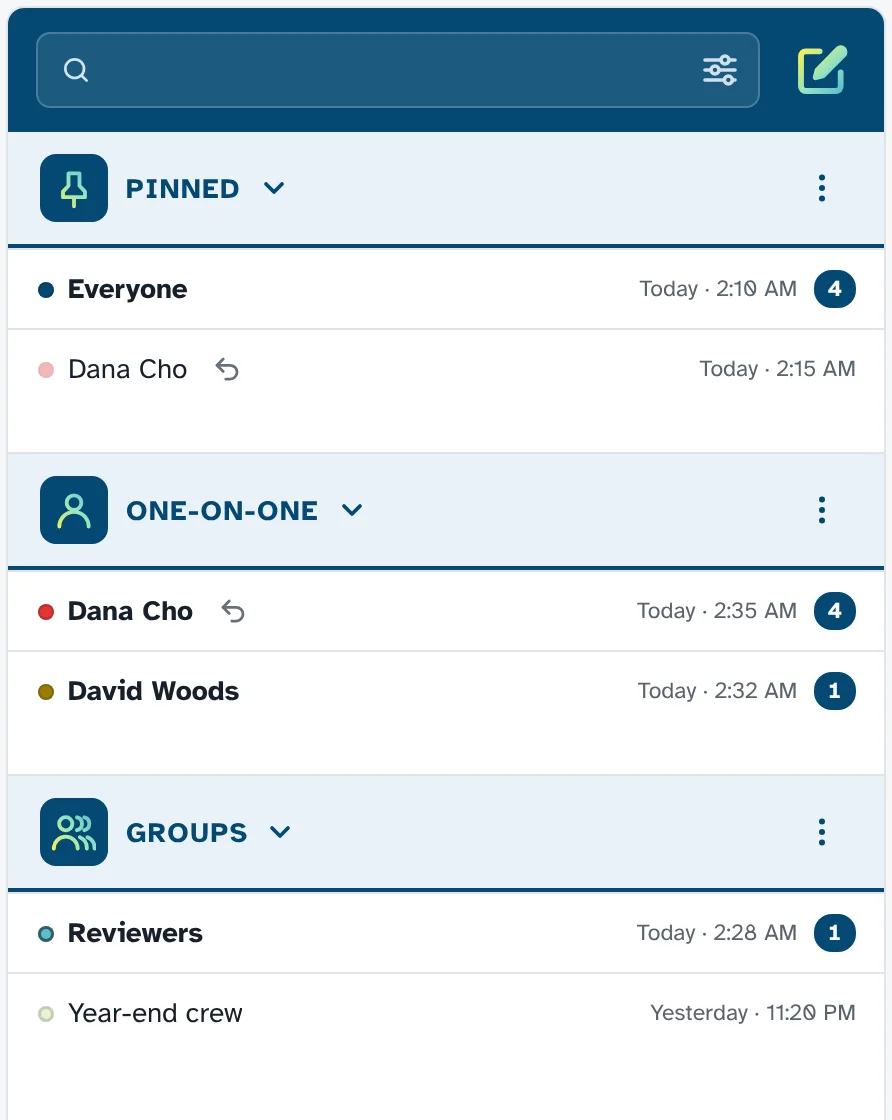
- 1Look for bold names with a navy count in your Messages list, or open the bell’s Messages tab, which lists every unread conversation.
- 2Click a conversation to read it. It’s marked read while the tab is in front of you.
- 3Want to come back to it? Click the ⋮ at the top of the conversation › Mark unread. It closes and stays unread.
- 4Under your own message, Seen by names who has read it; point at it for when.
Good to know
- Read receipts are always on, for everyone; they can’t be turned off.
- In the bell, a conversation’s envelope marks it read without opening it.
- Mark unread is also in a message’s ⋯ menu, on someone else’s message.
- Point at a row and click ✕ to close it from your list. Nothing is deleted, and it comes back when someone writes.
- Unread conversations count on the bell and the Messages tab; muted ones don’t.
 1