
Mute a conversation
For everyone · 1 min read
Mute one busy conversation for an hour, until tomorrow morning, or until you turn it back on.
- 1Open the conversation in Messages.
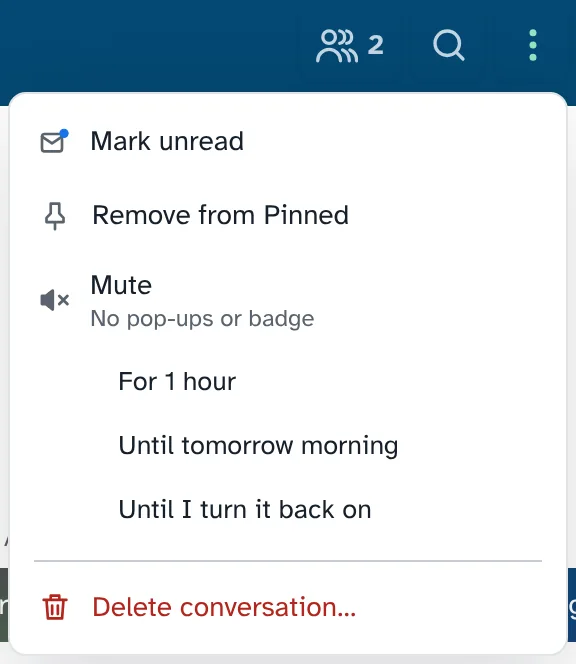
- 2Click the ⋮ at the top right of the conversation.
- 3Click Mute, then For 1 hour, Until tomorrow morning or Until I turn it back on.
- 4To hear from it again, open the same ⋮ and click Unmute.
Good to know
- A muted conversation has no pop-ups and isn’t counted on the bell, the Messages tab or the app icons.
- It shows a crossed-out speaker and a gray count in your list, so you can still see what’s waiting.
- An @mention in a muted conversation still gets through.
- To quiet everything for a while, use Silence or quiet hours instead.
 23