
Silence notifications or set quiet hours
For everyone · 1 min read
Silence the bell for a while, or set quiet hours so evenings and weekends stay quiet.
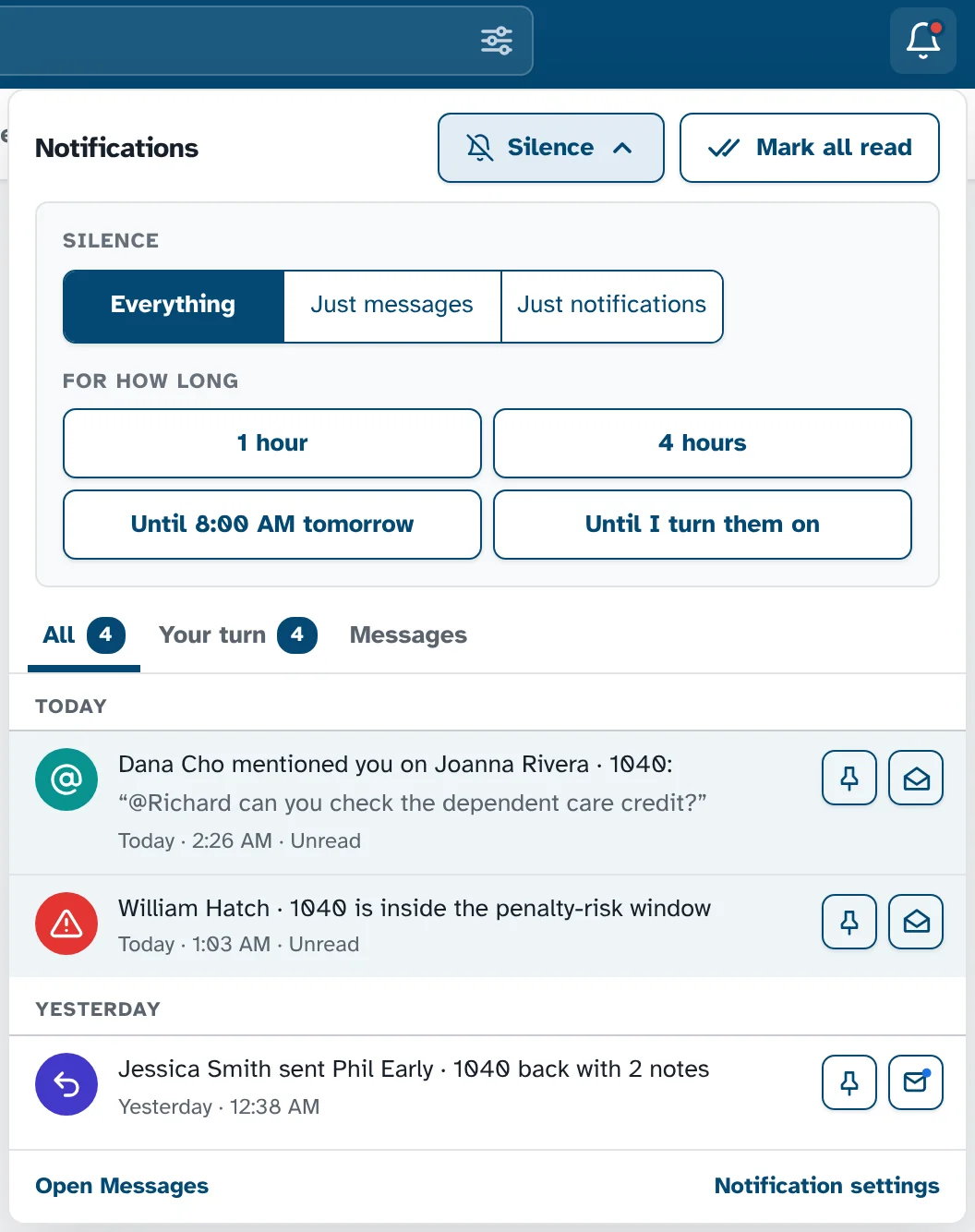
- 1To quiet things now, click the bell, then Silence.
- 2Choose Everything, Just messages or Just notifications, then how long: 1 hour, 4 hours, Until 8:00 AM tomorrow or Until I turn them on.
- 3For quiet every evening, go to Settings › Notifications and turn on Quiet hours.
- 4Set From and to, and turn on All weekend and US bank holidays if you want them too.
Good to know
- Silenced or quiet: no badge, no pop-ups, a slash on the bell, and Slack waits. Notifications still collect in the bell.
- Quiet hours are yours alone; nobody else sees them or sets them for you.
- Turn back on, in the bell, ends Silence early.
- To quiet one conversation instead of everything, mute it.
 12