
Your first day
For everyone · 1 min read
Sign in for the first time, then let the Set up yourself checklist walk you through the rest.
- 1Click the link in your invitation email, choose a password and click Save the new password. You land in your firm.
- 2If your firm asks for a code after your password, enter it. A code by email works for 5 minutes; an authenticator app saves the wait.
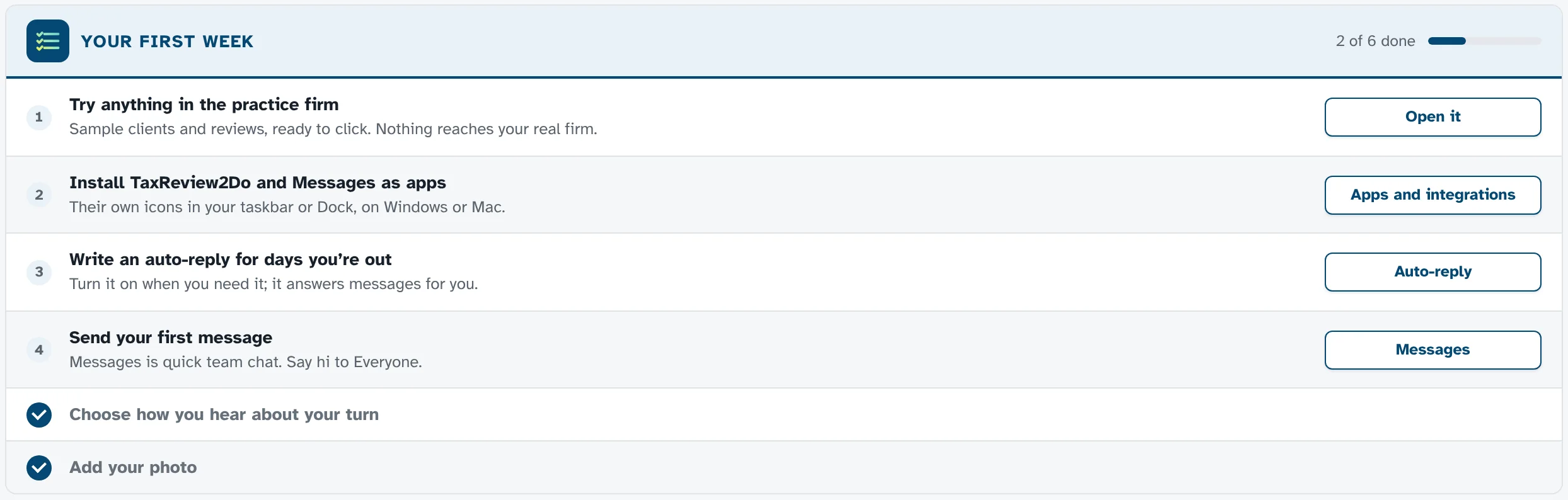
- 3On Home, click Set up yourself beside the date. It shows how many steps you’ve done, like “2 of 6”.
- 4Work down the list. Each step has a button that takes you straight there, and checks itself off once it’s done.
- 5Click Open it on Try anything in the practice firm, and walk a sample review from start to sign-off.
 43
Good to know
- Set up yourself covers the practice firm, the apps, an auto-reply, your notifications, your photo and a first message. Steps about Messages show only if your firm uses Messages.
- You already have a color: the app picks a free one the first time you sign in. Pick your own any time.
- Until every step is done, the checklist also shows on Home under the date. Dismiss takes it off Home; the link beside the date stays for good and reads Getting started ✓ once every step is done.
- Coming from the old app? See Coming from TaxReview2Do v1.