
Pick your color
For everyone · 1 min read
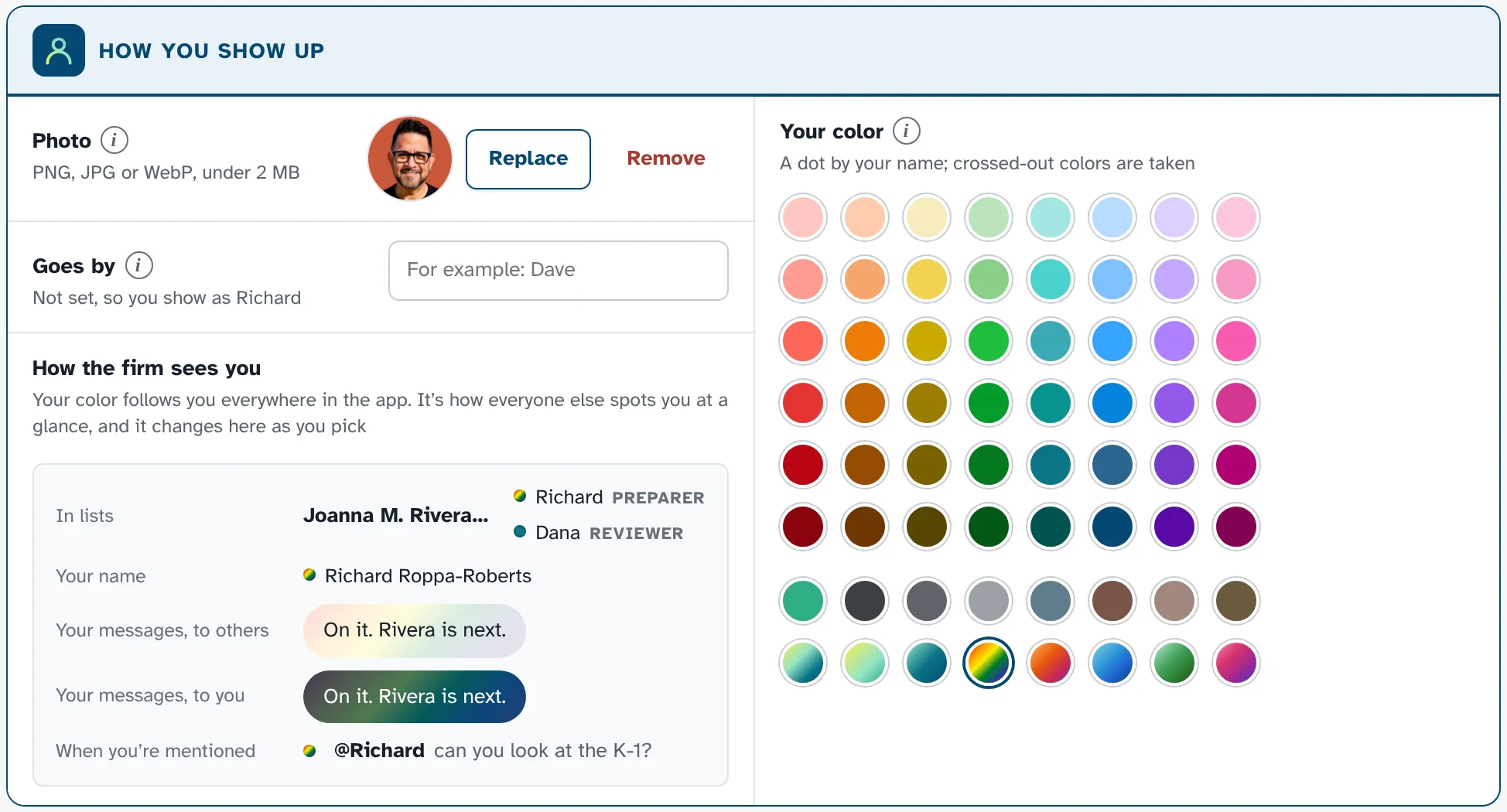
Your color is the dot by your name everywhere in the app, and the color of your messages.
- 1Open Settings › You.
- 2Under Your color, click any color that isn’t crossed out. It saves at once.
- 3Check How the firm sees you: your name in a list, your messages, and an @mention, all in the new color.
 23
Good to know
- Everyone in the firm has a different color. Point at a crossed-out one to see whose it is.
- You already had one: the app picks a free color the first time you sign in. Change it whenever you like.
- There are 64 to choose from: eight families from pale to dark, a few extras, and gradients like TaxReview2Do and Pride.
- Someone took the one you clicked a second ago? It says so; pick another.