
Your day in TaxReview2Do
For everyone · 1 min read
A normal day: start on Home, work your reviews section by section, and clear small items in between.
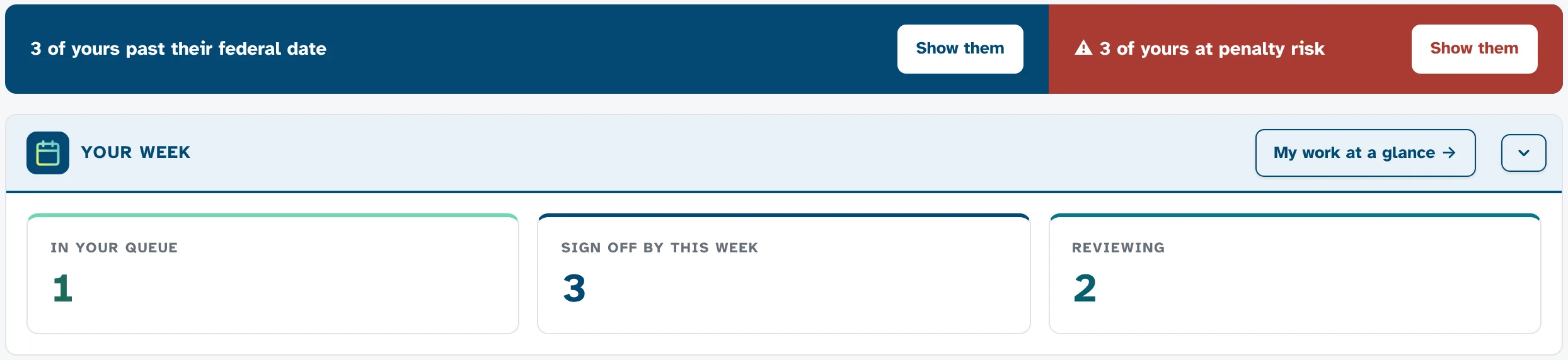
- 1Open Home. The bar at the top counts down to the next federal date; Your turn lists what’s waiting on you.
- 2Open a review from Yours to prepare or Yours to review.
- 3Work section by section. Each question’s guidance and last year’s answer sit beside it, and answers save as you go. Next unanswered jumps ahead.
- 4Click Submit for review when you’re done preparing, or Send back… or Sign off when you’re reviewing.
- 5Have ten minutes before a call? Click Quick win for one small open item, yours first.
- 6End the day with My work at a glance → in Your week’s header (owners, admins and tax managers: Firm at a glance → in Across the firm).
 12
Good to know
- You can submit at any time. The window says what still needs attention, so nothing slips through.
- One person edits a review at a time. Leave one open and it frees up after 15 quiet minutes.
- If your firm tracks time, it counts itself while you work in a review; there are no timers to start.
- Owners, admins and tax managers also see the whole firm on Home: Across the firm and Needs a reviewer.