
Set up the firm, in order
For owners and admins · 2 min read
The Set up your firm checklist on Getting started, in the order that saves you rework.
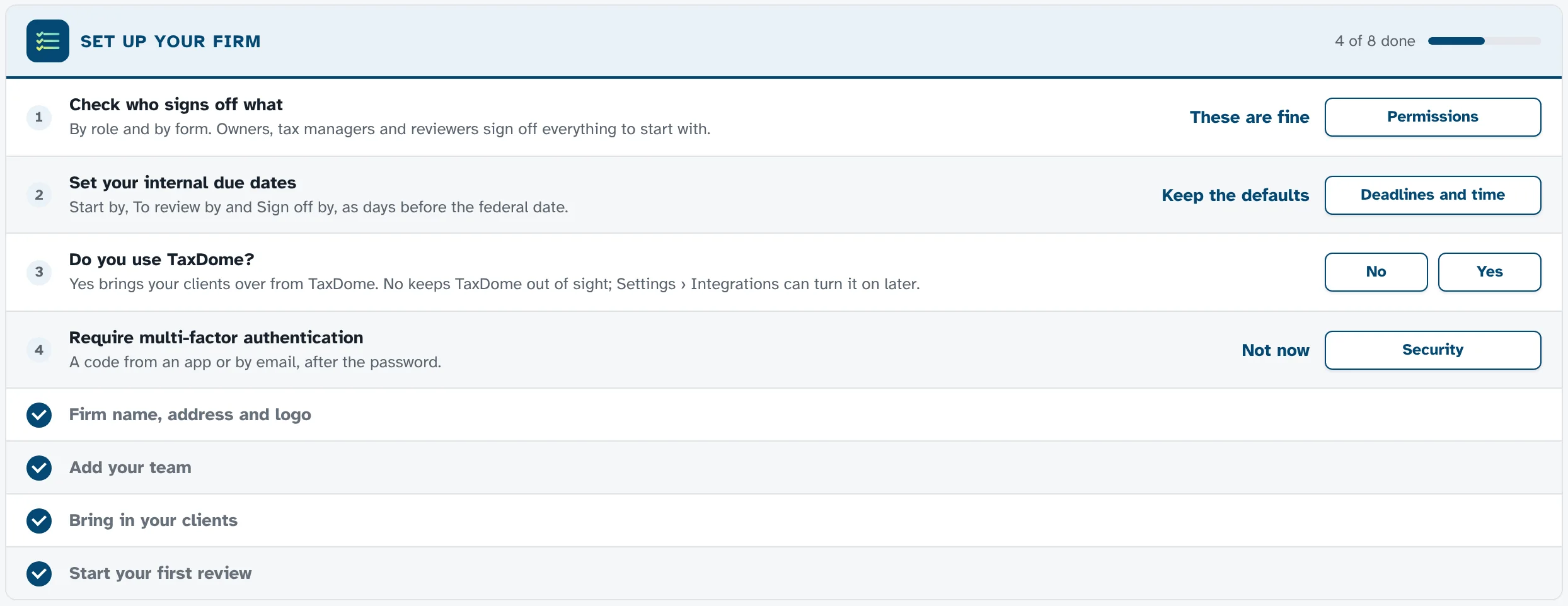
- 1On Home, click Set up your firm beside the date. Most steps check themselves off as you finish them.
- 2Click Firm profile and add the firm’s name, address, logo and time zone. All of them print on every workpaper.
- 3Click Team, then ⊕ Add a person for each teammate. Each one gets an email to join and choose a password.
- 4Click Permissions to check who signs off which forms, then Deadlines and time for Start by, To review by and Sign off by. Happy with either as it is? Click These are fine or Keep the defaults.
- 5Answer Do you use TaxDome? Yes opens Import from TaxDome; No keeps TaxDome out of sight. Then bring in your clients, or click ⊕ Add a client on Clients.
- 6Click Start a review for your first return. Multi-factor authentication is already on for everyone (a code once every 30 days); change it in Security and compliance.
 1
Good to know
- Owners and admins see Set up your firm; everyone, owners included, has Set up yourself for their own photo, apps and notifications.
- To start with, owners, tax managers and reviewers sign off every form. Need one person to do more than their role? Give someone a Plus.
- Said No to TaxDome? Settings › Integrations › TaxDome turns it on later.
- Add a second owner on Team. Home warns you while you’re the only owner who can sign in.
- Want to rehearse first? Try things in the practice firm.