
Less motion and no confetti
For everyone · 1 min read
Turn off the app’s small movements and the Quick win confetti.
- 1Open Settings › Look and feel.
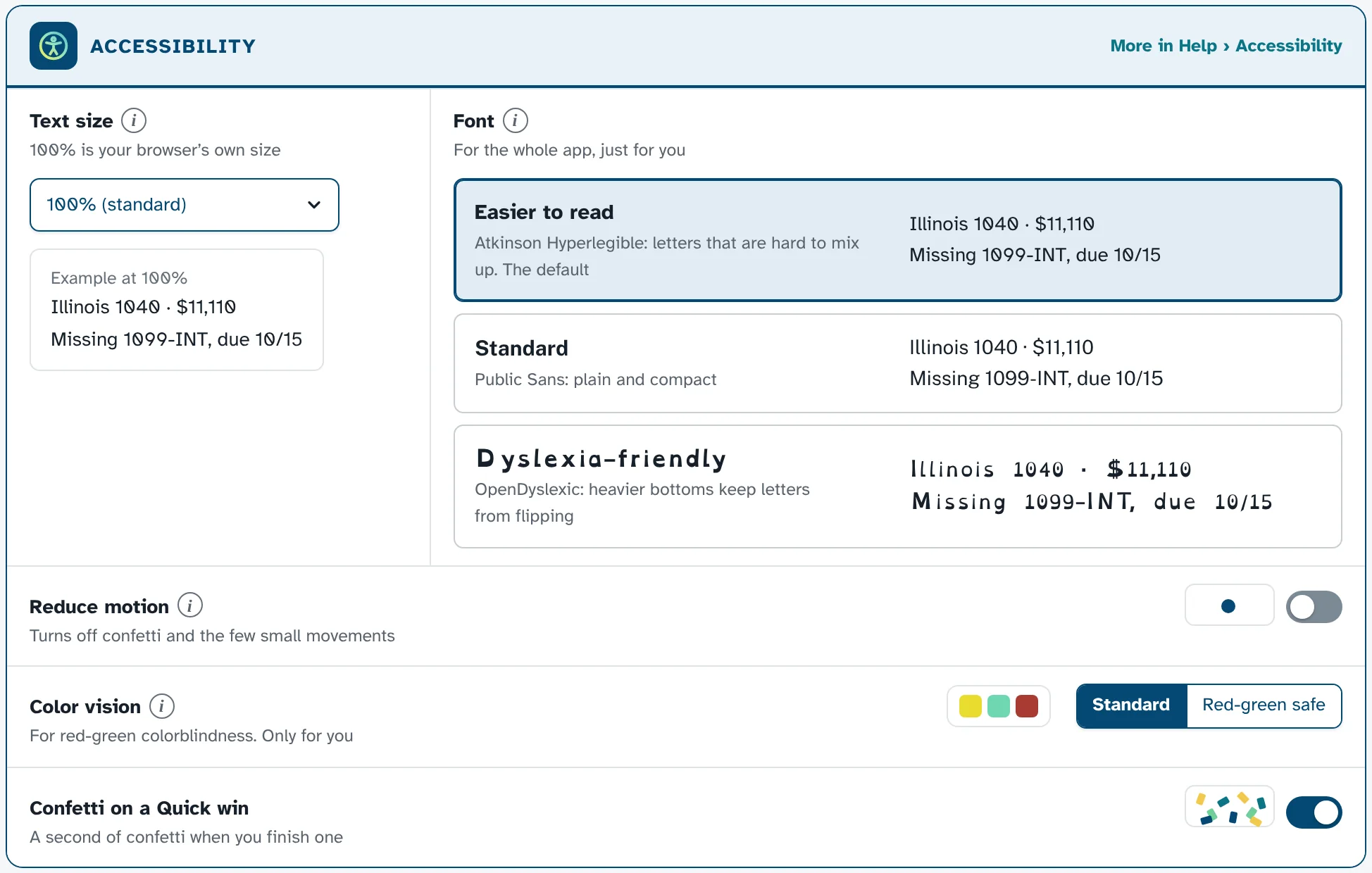
- 2In the Accessibility card, turn on Reduce motion. Confetti and the app’s small movements stop.
- 3Want the movements but not the party? Leave Reduce motion off and turn off Confetti on a Quick win instead.
 23
Good to know
- The movements are small and quick: a menu’s arrow turning, Reply and Edit fading in on a message, the screen blurring when you hide it, a switch sliding.
- While Reduce motion is on, confetti shows Off and can’t be turned on.
- If your computer is set to reduce motion, the app follows it, whatever you choose here.
- Nothing flashes or plays on its own. Sound is off until you turn it on in Notifications.