
Require multi-factor authentication
For owners and admins · 1 min read
Everyone types a code after their password, once every 30 days unless you choose every sign-in or every 7 days.
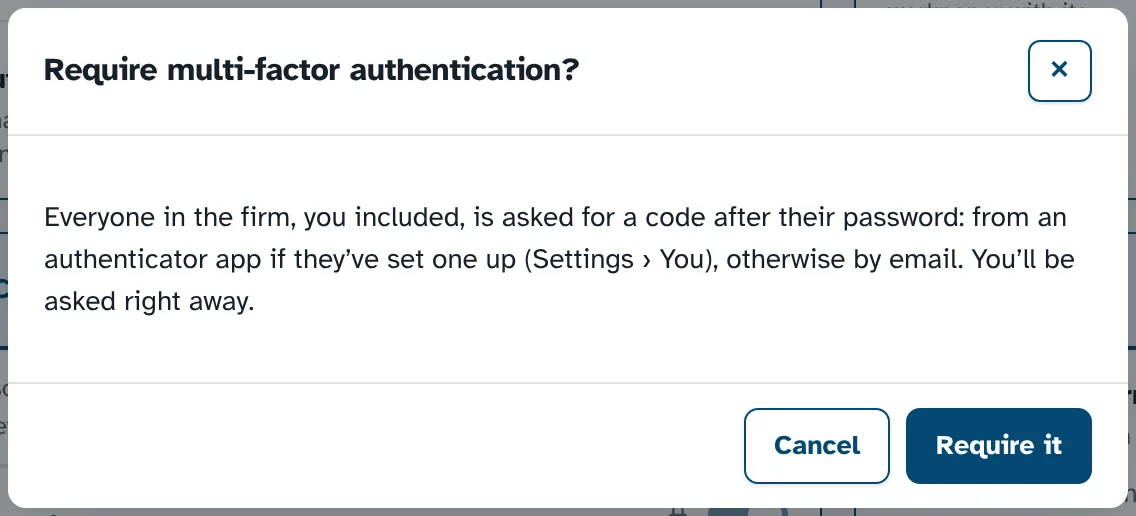
Multi-factor authentication is on for every firm from the start: Once every 30 days. To ask more often:
 3
- 1Open Settings › Security and compliance.
- 2In Signing in, choose how often in Multi-factor authentication: Every sign-in or Once every 7 days.
- 3Click Require it. It applies to everyone, you included, and you’re asked for a code right away.
Good to know
- Anyone signed in when it came on keeps working; they’re asked at their next sign-in.
- After their password, each person types a code from their authenticator app, or asks for one by email. An emailed code works for 5 minutes.
- Choosing Not required turns it off for the firm (we don’t recommend it). Anyone who set up an authenticator app for themselves is still asked for it.
- Sign in again, in the same card, says how often everyone types their password again: Daily (the default), Weekly, Monthly, Never or Custom (a number of days). They come back to the page they were on.
- Sign out when idle, in the same card (after 2 hours by default), signs people out after a quiet spell on every tab, with a two-minute warning first.
- Every change to either setting is recorded in the audit trail.