
Hand the firm to a new owner
For owners · 1 min read
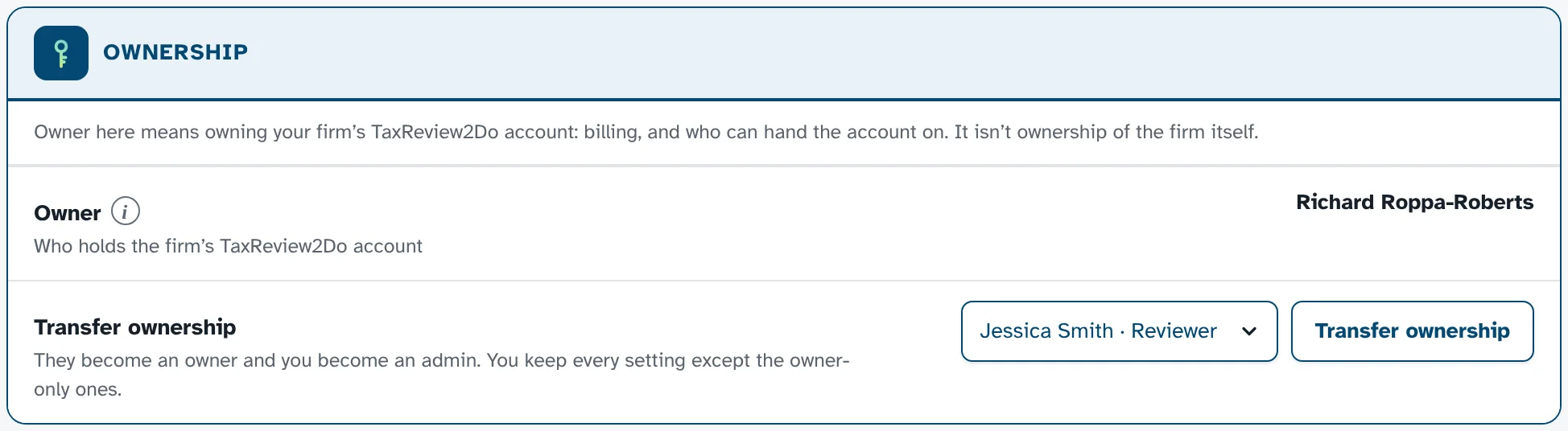
Make someone else the owner of your firm’s TaxReview2Do account; you become an admin in the same step.
- 1Open Settings › Firm profile and scroll to Ownership.
- 2Choose the new owner in Transfer ownership.
- 3Click Transfer ownership.
- 4Read the window and click Transfer ownership again. They become an owner, you become an admin, and the page reloads.
 23
Good to know
- Owner here means the firm’s TaxReview2Do account: billing, and who can hand it on. It isn’t ownership of the practice itself.
- You can hand it only to someone active who has signed up.
- As an admin you still change every firm setting, but not owners, deleting clients or the export. Only an owner can make you an owner again.
- The transfer is recorded in the audit trail.