
Ask for a setting to change
For tax managers, tax admins, reviewers, preparers and data entry · 1 min read
Send your firm’s owners and admins a request to change a firm setting you can see but not change.
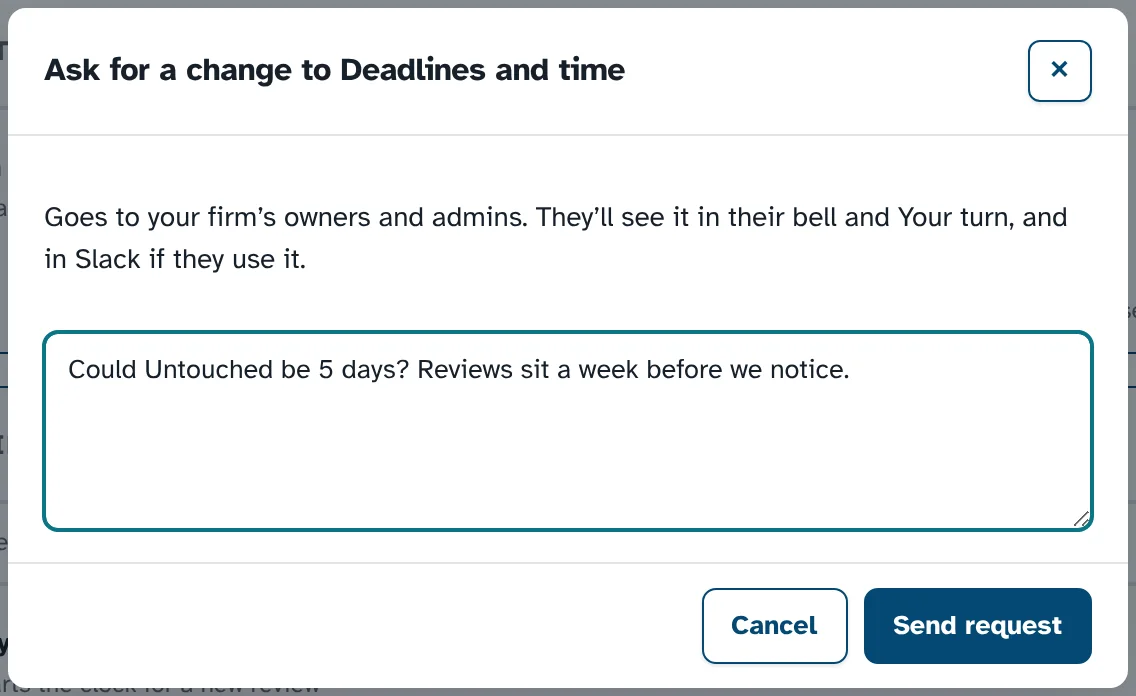
- 1Open Settings and click the firm page in the list, such as Deadlines and time. Firm settings start folded; click the Firm settings band to open them.
- 2Click Ask for a change in the blue note at the top of the page.
- 3Write what you’d like changed, and why.
- 4Click Send request.
 34
Good to know
- It reaches every owner and admin on their bell and in Your turn, and in Slack if they use it.
- Firm pages you can’t change show a View only tag on each card.
- Tax managers change Team and Messages and broadcasts themselves, so they ask only about the other firm pages.
- Requests are recorded in the audit trail. You can send up to 10 an hour.