
Search Messages
For everyone · 1 min read
Find people, groups and messages from the box over your list, narrow it with filters, or find words in one conversation.
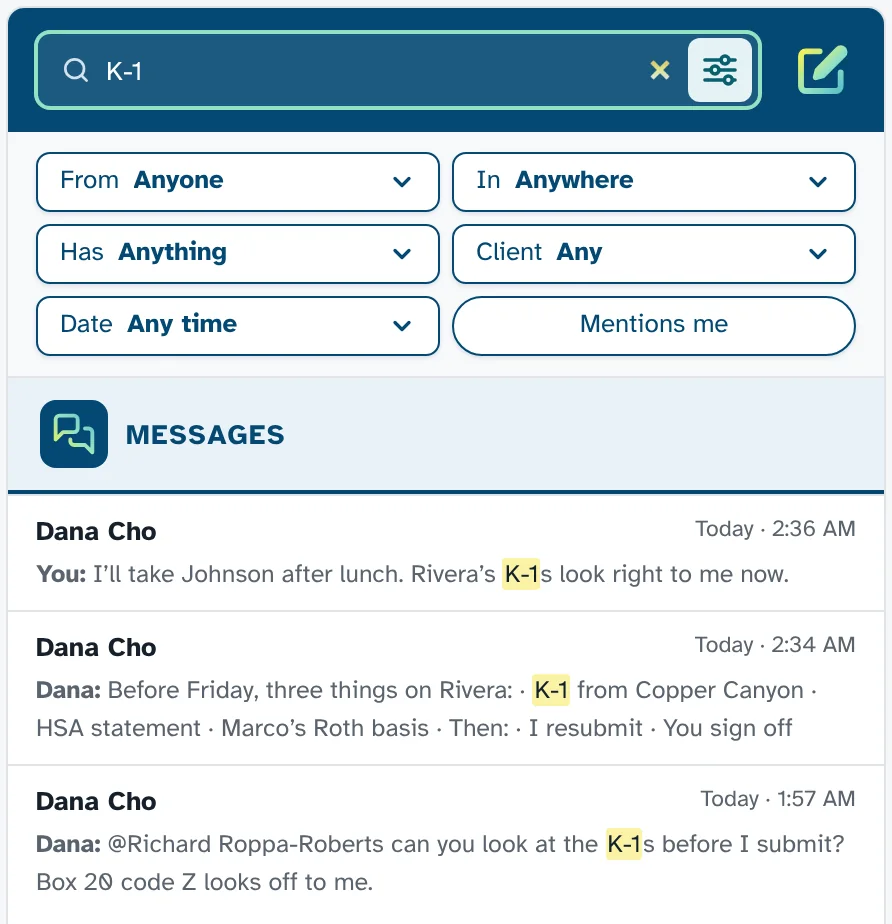
- 1Type in the search box over your Messages list. Results come in three parts: People, Groups and Messages.
- 2Click the sliders at the end of the box to filter.
- 3Narrow it with From, In, Has (a link or a screenshot), Client, Date and Mentions me.
- 4Click a message (or use ↓ ↑ and Enter) to open its conversation at that spot.
Good to know
- A person with no conversation yet shows under People; clicking them starts one.
- Filters work without any words, like every screenshot from Dana in the last 7 days.
- Clear all filters puts everything back.
- Auto-replies and group changes aren’t searched.
 123