
Find anything with search
For everyone · 1 min read
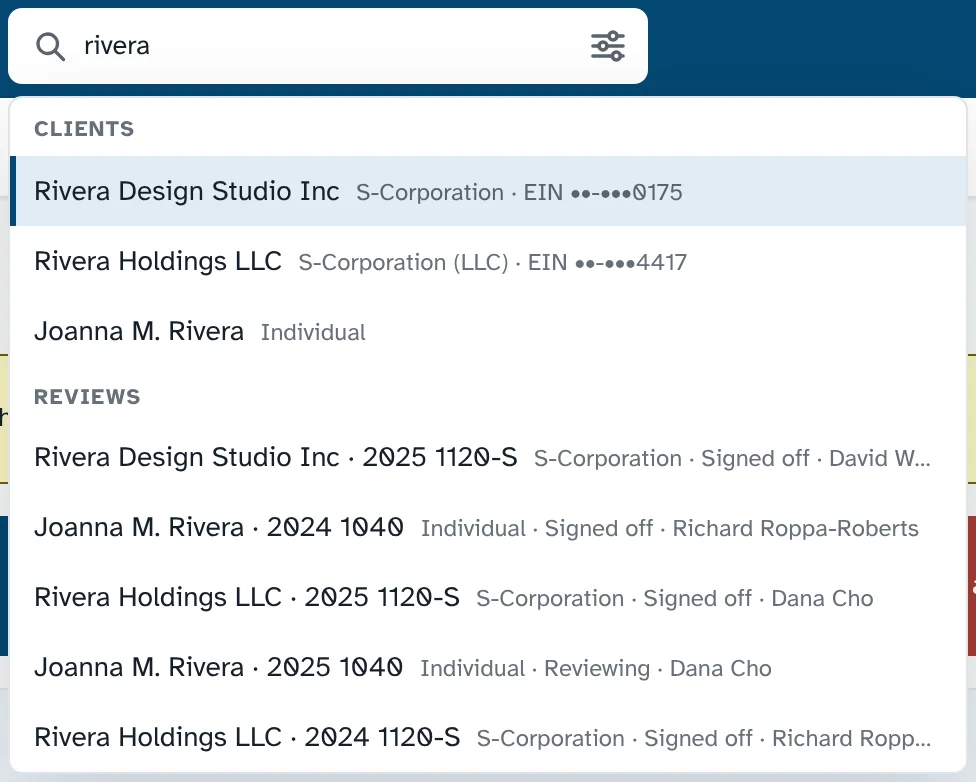
The search box in the navy row finds clients, reviews, open items, people, templates and pages as you type.
- 1Click the search box in the middle of the navy row.
- 2Type a few words, like rivera 2025. Every word has to match, so each one narrows the list.
- 3Click a result to go straight to it, or use ↓, ↑ and Enter.
- 4Try a line under Suggested, like “Show 2025 1065 reviews being reviewed”. It opens Reviews with those filters set.
- 5Click the sliders at the right of the box for advanced search: words, client, preparer, reviewer, form, tax year, stage, open items and a federal due range. Search opens Reviews with them.
Good to know
- Results are grouped: Suggested, Clients, Reviews, Open items, People, Templates and Go to (pages).
- A person’s name finds the reviews they prepare or review. A stage word, like “reviewing”, finds reviews in it.
- Esc closes the results.
- Searching inside Messages has its own box: see Search Messages.
 235