
The library and your own templates
For everyone · 1 min read
Use a library template from Jessica Smith and David Woods as is, or make your firm’s own; every version says why it changed.
A template is the list of questions a review works through, in sections, with guidance beside each question. The Templates tab lists them under three tabs: Library, Your firm’s and Archived, with a search box and how many are showing.
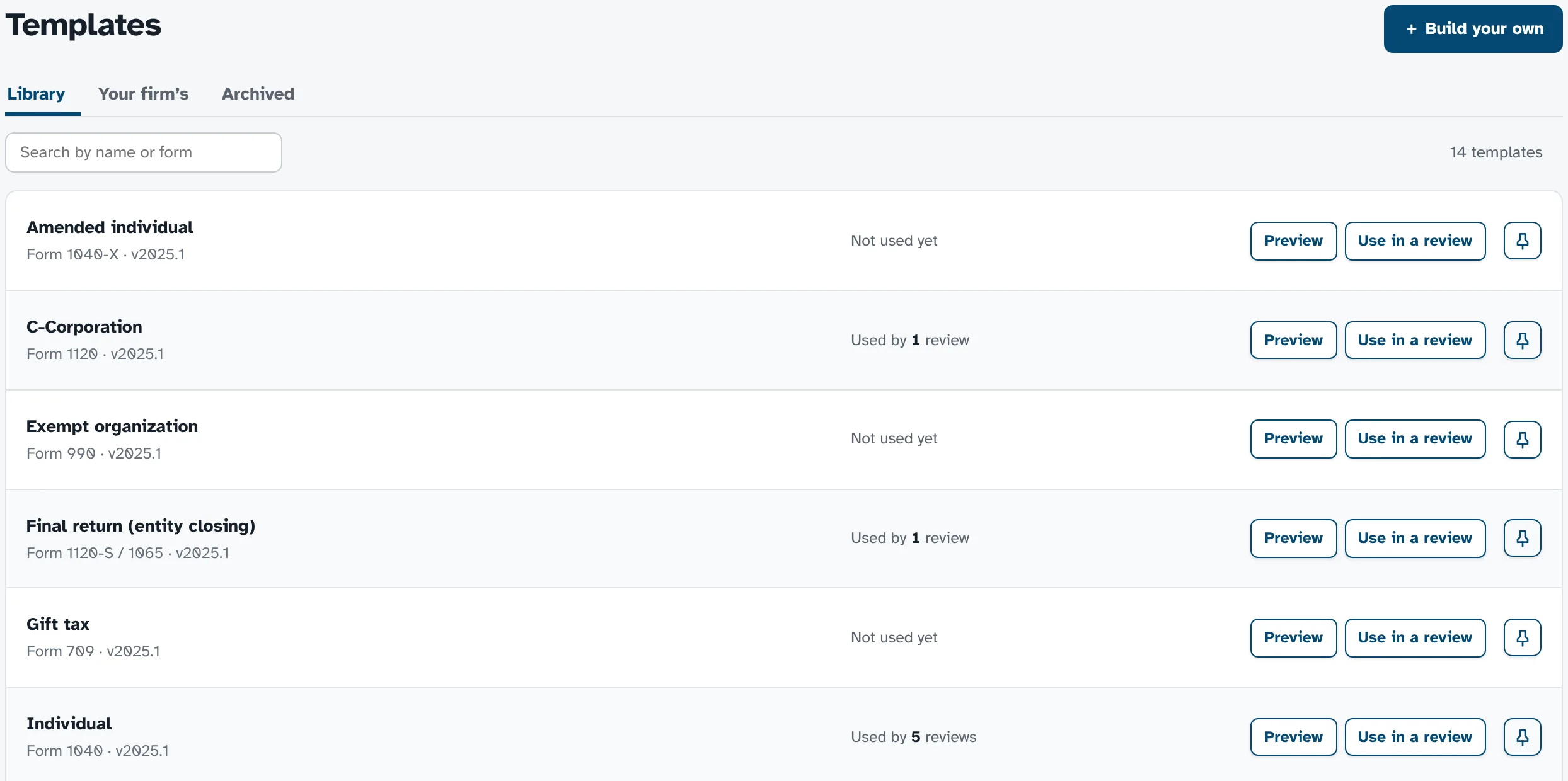
- TaxReview2Do library: written by Jessica Smith, EA and David Woods, EA, USTCP, for 1040s (plain, Schedule C, rentals, multi-state, amended), 1120-S, 1065, 1120, 1041, 990, 709 and final returns. Any of them works right away: Use in a review.
- Your firm’s templates: on the Your firm’s tab. Build your own, from blank or a copy, or open a library template and click Duplicate to edit.
- Each row shows the form, the current version, and how many reviews use it. Preview opens it: its sections, its version history, and the reviews not signed off that use it. The square pin at the end keeps one at the top of its tab and in your Pinned list.
How versions work
- Changes are a draft until someone clicks Publish with a note on why it changed.
- Reviews not signed off then choose Compare, Keep or Migrate. Signed-off reviews never change.
- The Templates tab lists any review still on an older version, so nothing is left behind by accident.
Good to know
- Library templates can’t be edited, only duplicated, so the library stays the same for every firm.
- Who can build and edit your firm’s templates: owners, admins, tax managers and reviewers by default. Change it per role, or for one person as a Plus, in Team.
- Questions marked internal only are left out of the workpaper.
- Rename any of your firm’s templates from its row. Delete one no review has used (a test, or one never finished). Once a review uses it, Archive it instead: it keeps working on those reviews, workpapers included, but can’t start a new one until you Unarchive it from the Archived tab.