
Move a date on the calendar
For owners, admins, tax managers, tax admins, reviewers and preparers · 1 min read
Drag a Start by, To review by or Sign off by date to another day on the Reviews calendar, or click it and pick a date.
- 1On Reviews, click Calendar at the right of the tabs.
- 2Drag a Start by, To review by or Sign off by chip to another day, or click the chip.
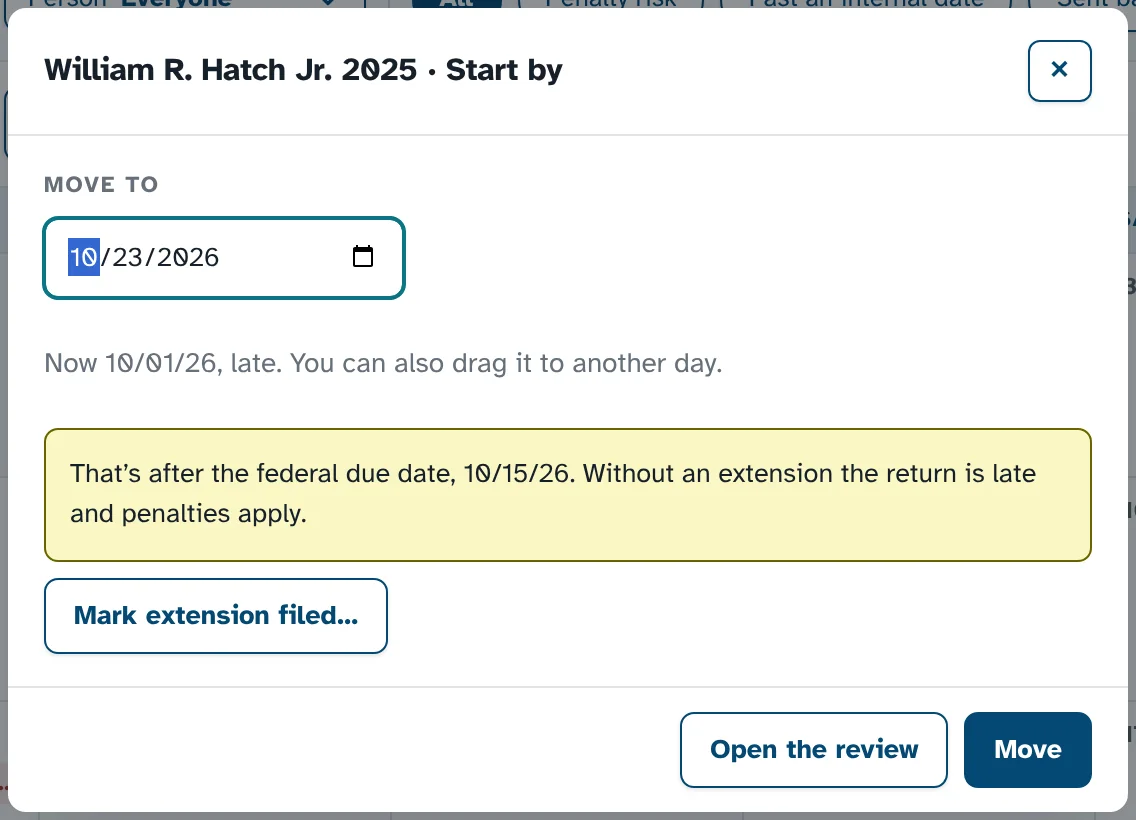
- 3If you clicked it, pick the new day under Move to.
- 4Click Move. It always asks first, then moves the date.
Good to know
- The list’s filters apply to the calendar, so filter to one person or stage first.
- A day after the federal due date is allowed, with a warning that the return would be late without an extension. The date card then offers Extension.
- The federal due date can’t be dragged. Click it to mark the extension filed instead.
- A Start by you move shows Start by set by hand on the review. Reset Start by there goes back to your firm’s rule.
- Moving a date claims the review for a moment, so a review someone else is editing can’t be moved. Every move goes in the audit trail.
- Three chips show per day, then “+N more”. Late dates are red with a Late tag, and today has a red Late · N chip that opens every late review in Rows.
 34