
Mark an extension filed, or undo it
For owners, admins, tax managers, tax admins, reviewers and preparers · 1 min read
Once the extension is filed, move the review to its extended due date, and undo it if it was a mistake.
- 1Open the review once the extension has been filed with the IRS.
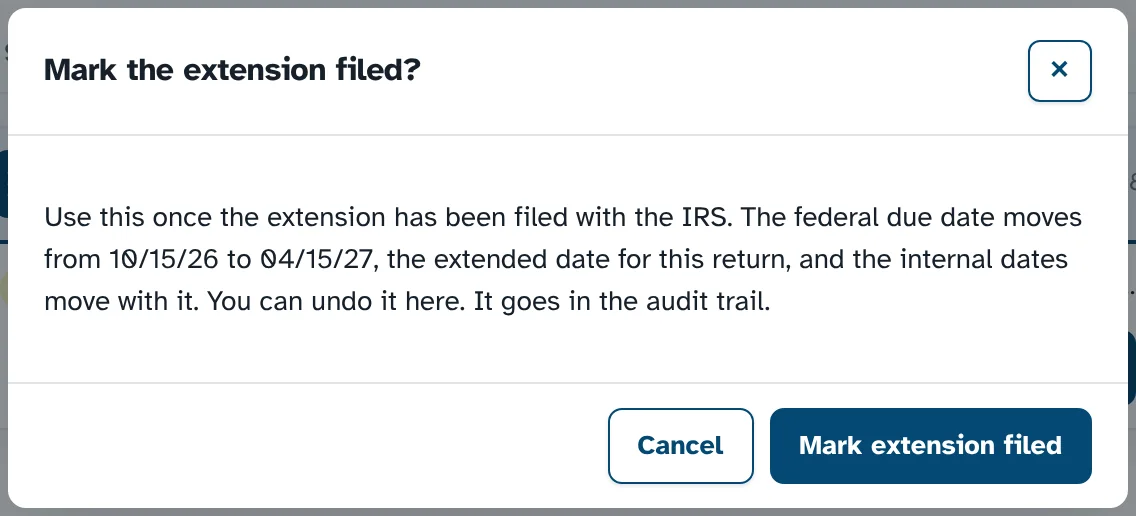
- 2Click ⊕ Action at the top right, then File extension…. The window shows the federal due date now and the extended date it moves to.
- 3Click Record extension. The internal dates move with it, and a box under the name shows Extension filed with the day it was filed and the new due date (and the old one).
- 4Recorded by mistake? Click Action › Undo extension…. Every date goes back to what it was.
 3
Good to know
- Each form follows its own rules: six months for most, a 1041 moves to 09/30, and a 06/30 C-corporation year starting before 2026 gets seven months. A 1040-X can’t be extended, so its date stays.
- On the Calendar, click a federal due date to mark the extension filed from there. The federal date itself can’t be dragged.
- Both marking and undoing ask first, and both go in the audit trail.