
Add a dependent
For everyone · 1 min read
Keep an individual client’s dependents on their page: name, relationship and birth year, with a reason for every add or removal.
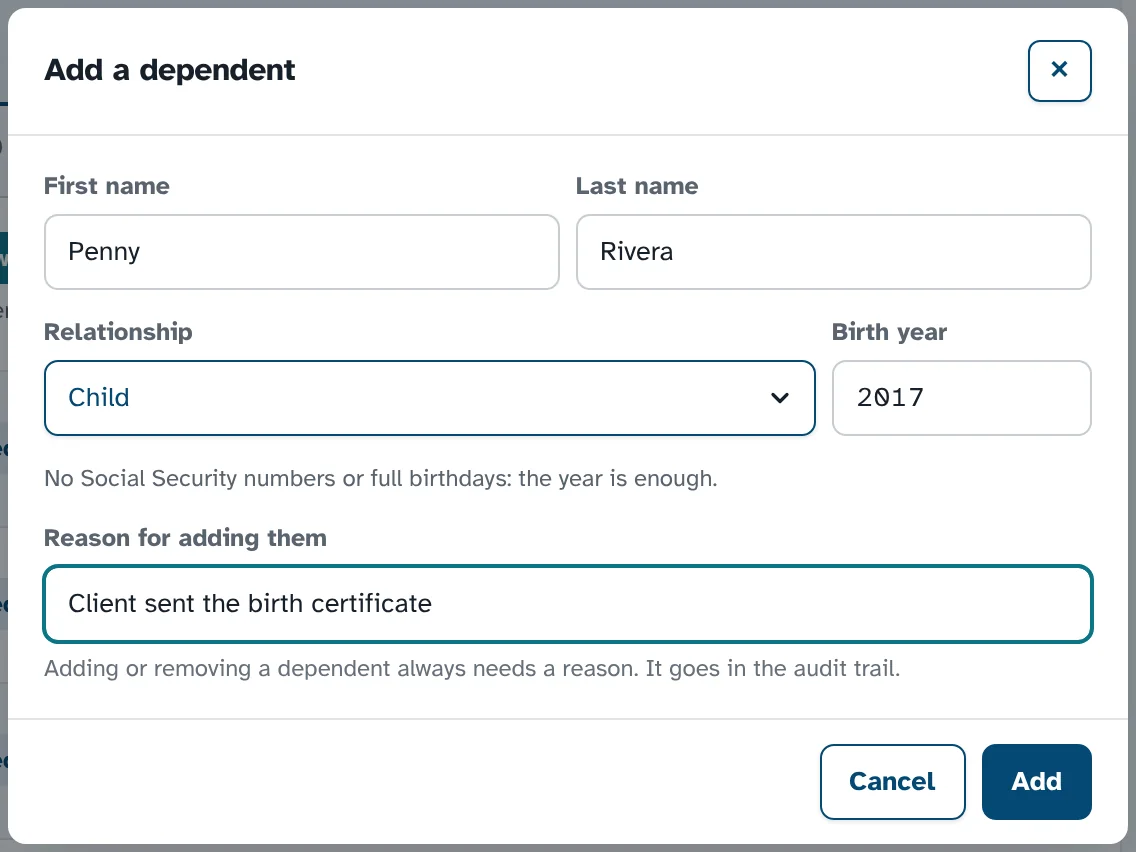
- 1Open the individual client’s page from Clients.
- 2In Taxpayer(s), click ⊕ Add a dependent beside Dependents.
- 3Type the first name (the last name starts as the client’s), then pick the Relationship and type the Birth year.
- 4Write the Reason for adding them, like “Client sent the birth certificate”.
- 5Click Add. They show under Dependents as “Penny Rivera · Child · born 2017”.
Good to know
- Only the name, relationship and birth year are kept. No Social Security numbers or full birthdays: the year is enough.
- Remove also asks why. Both reasons go in the audit trail.
- Edit fixes a name, relationship or year without a reason.
- Dependents are for individual clients only; companies don’t have the list.
 345