
Print with notes
For everyone · 1 min read
Print the workpaper with its notes for your own desk; every page is stamped as an internal working copy.
- 1Open the review and click Workpaper.
- 2Click Print with notes in the workpaper’s bar.
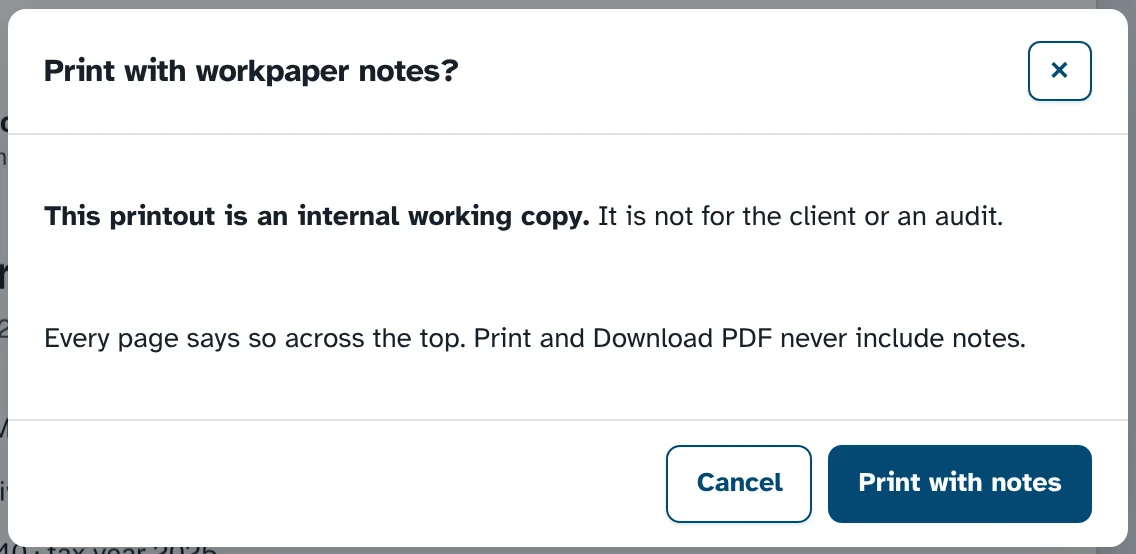
- 3Read the warning: this printout is an internal working copy, not for the client or an audit.
- 4Click Print with notes. Your printer window opens with the notes beside their questions.
 4
Good to know
- Who can use Print with notes is your firm’s choice: Everyone (the default), Owners and admins, or Nobody, in Security and compliance › Workpapers. Owners and admins change it, and the change is in the audit trail.
- No Print with notes button? Your firm has kept it to owners and admins, or turned it off.
- Each note prints with who wrote it and when.