
What’s in a workpaper
For everyone · 1 min read
The workpaper is the whole review as one PDF, a draft until sign-off and then saved exactly as it stood.
Open it with Workpaper on a review, or with Preview or View on the Reviews list and a client’s page. What you see on screen is exactly what prints.
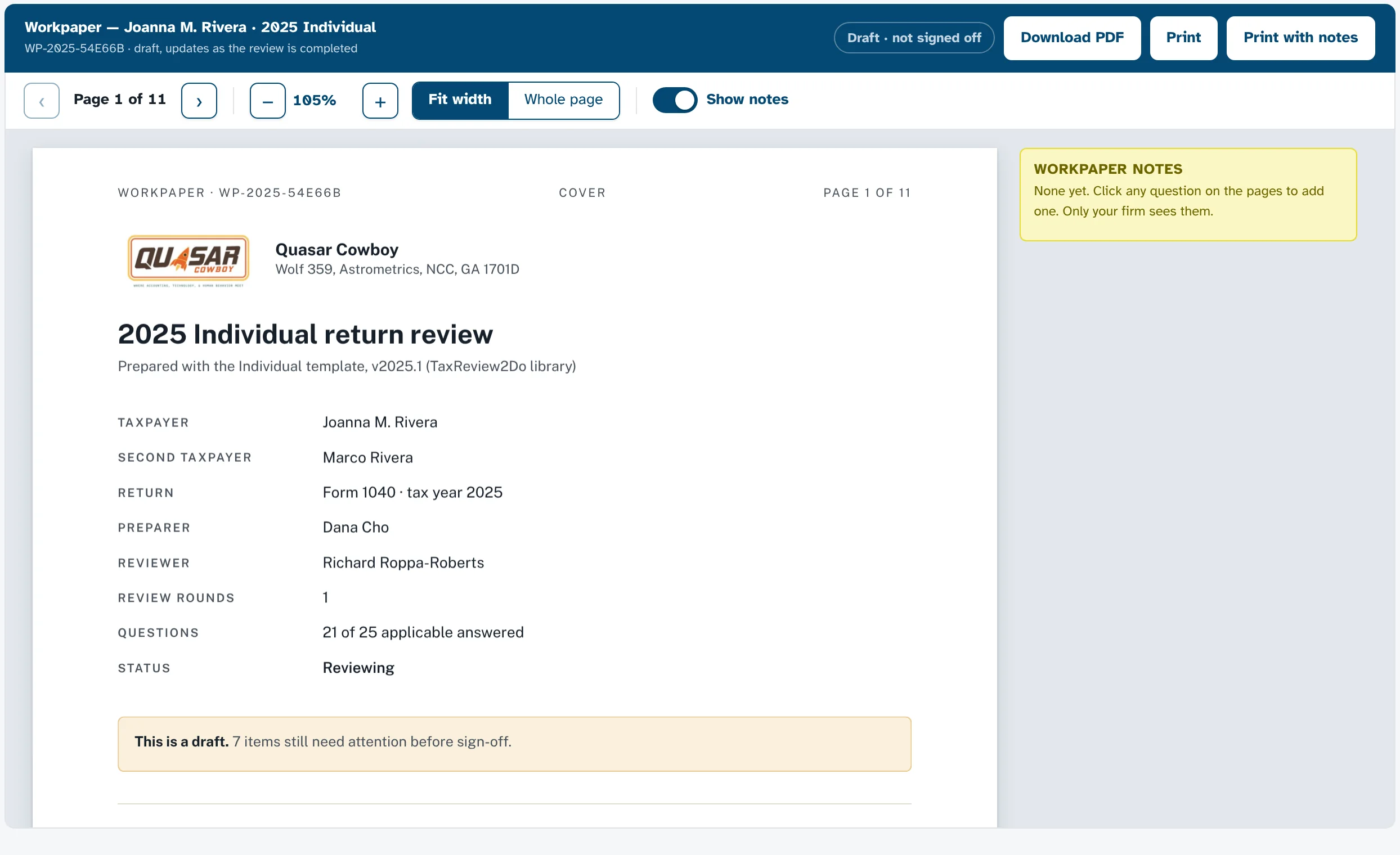
- The cover: your firm’s logo and address, the client, the Return line (like “Form 1120-S · tax year 2025 · calendar year · accrual”), the preparer and reviewer, when it was sent for review, how many rounds, how many questions were answered, and the sign-off.
- A page per section: every applicable question with its answer. N/A answers print as Not applicable with the note saying why; a list prints as a table of documents with when each was received, and who reviewed and entered it.
- Section notes: the preparer and reviewer notes print; internal notes never do.
- Appendix A · Resolved items: every open item, who raised and resolved it, when, and the What happened? note. On a draft, anything still open is listed first.
- Appendix B · Audit trail: the review’s events, with the reason given for important changes. Times are in your firm’s time zone.
Draft or signed off
- Before sign-off, every page says DRAFT · NOT SIGNED OFF and the bar says Draft · not signed off.
- At sign-off it’s saved as it stands, with a padlock. Later changes to the client, people or firm, even a new logo, don’t touch it.
- Reopening makes it a draft again; the next sign-off saves a new copy.
Good to know
- Questions marked internal only in the template are left out.
- Workpaper notes sit beside the pages for your firm; they aren’t part of the workpaper.
- If one person prepared and reviewed the return, the cover says so.