
Turn on auto-reply
For everyone · 1 min read
Let people know you’re out: an auto-reply answers your one-on-ones and groups while you’re away.
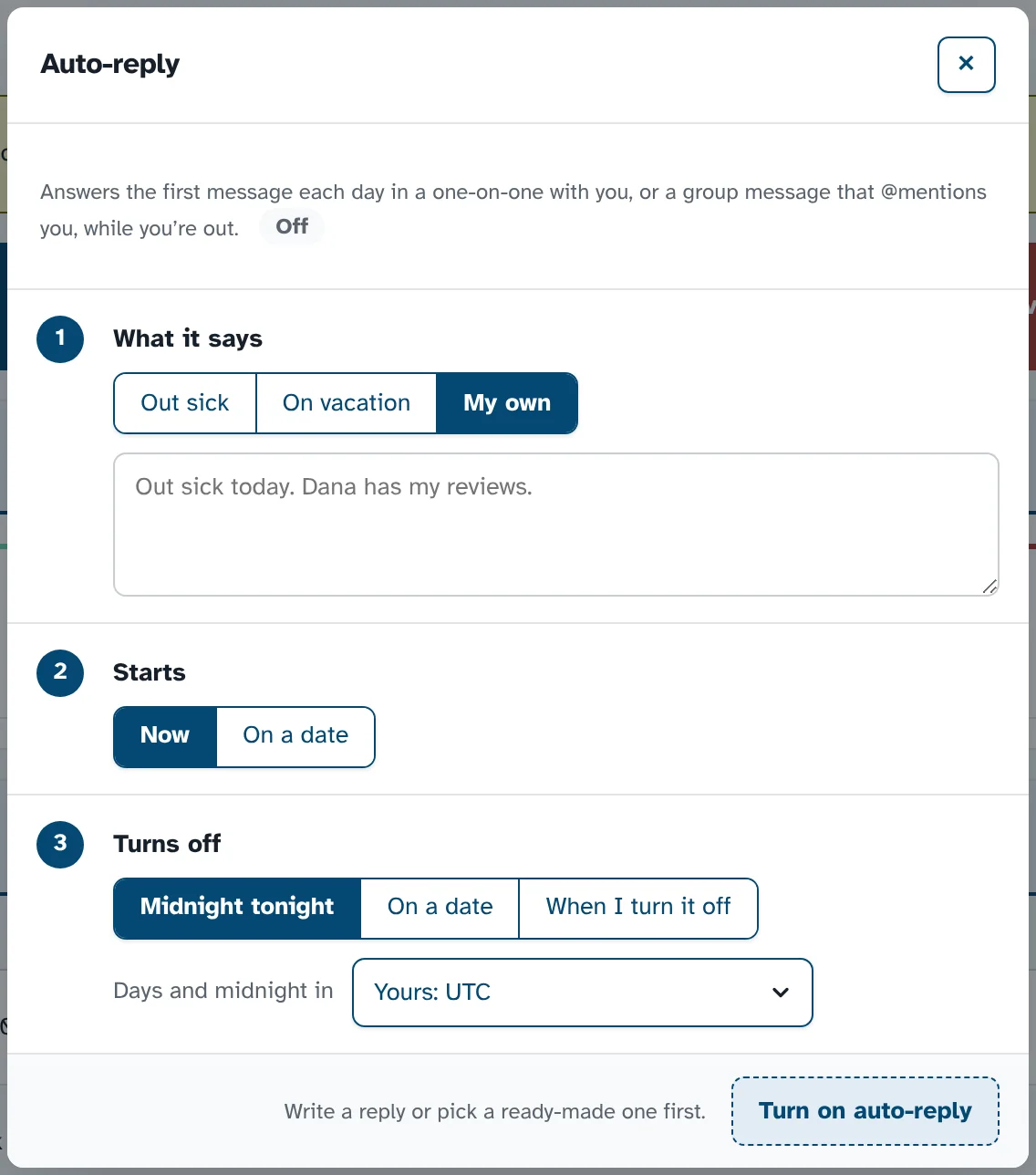
- 1Click your name at the top right.
- 2Click Auto-reply.
- 3Under What it says, pick Out sick or On vacation, or My own and type it.
- 4Choose when it Starts (Now or On a date) and when it Turns off (Midnight tonight, On a date, or When I turn it off).
- 5Click Turn on auto-reply (or Schedule auto-reply for a later start).
Good to know
- It answers the first message each day in every conversation you’re in: one-on-ones and groups, Everyone included.
- A small gray arrow after your name shows it’s on; point at it to read the reply.
- While it’s on, a bar at the foot of your Messages list has Turn off.
- Its days and midnight follow your own time zone unless you pick another under Days and midnight in.
- It’s also in Settings › Messages, and in each Messages section’s ⋮.
 345